
Product Design:
Mergo
During a 12-hour workshop, delivered by Mergo UX Design School (http://www.mergo.com.br) in São Paulo, Brazil, I've worked on a project to develop an app into a paper prototype.
This workshop focus on create user-centered products, presenting the design process, the methodologies and tools and how to apply: empathy, collaboration and tests. Also, throughout the workshop, the teams were able to build step-by-step a new product, sharing news about business, trends, updates and more.
The App
After a discussion, my team decided to build an app to search for courses and schools, in which the user can choose between a specific location or on-line as well as other aspects and check the feedback statements from former students.
1. Action Plan
At first, we've made an action plan with 5 items: Problem, Product, Differential, Audience and Value Proposition.
1. Problem
A lot of people find it hard to choose a course that meets their current needs due to the lack of detailed information and reliable feedback about it.
2. Product
An app designed to list all kind of courses, where you can apply filters to provide better results and find feedback from former students.
3. Differential
Gathering of courses information, sorting and filter features and more credibility due to the feedback for other students.
4. Audience
-
People that usually look for products and services on-line;
-
People that are looking for any kind of courses (workshops, college courses, graduation, technical, hobbies);
-
People that are about to take the entrance exam for college;
-
Educational institutions;
-
People that are looking for a new job;
-
People that want to keep up to date with their studies.
5. Value Proposition
-
Satisfaction with the course;
-
Assertive choice;
-
Ideal investment;
-
Convenience.

2. Personas: Empathy +Definition
To understand the user better, we've worked on "Proto-personas" (Jeff Gothelf's method) and described 3 different profiles of people that would have interest in using the app.
One of the examples of proto-personas we've created is "Larissa":
About Her:
Larissa is 25 years old and she currently works as a clerk in Human Resources at an office downtown.
Demographic Info and Behavior:
-
She lives in Salvador, Bahia, with her parents;
-
She holds a undergraduate degree in Psychology and she dreams on having her own office to work as a therapist;
-
She likes to hang out with her friends;
-
She has a cat;
-
She's single;
-
She's curious and she really enjoys looking for on-line articles about psychology, arts and cooking.
Conflicts and Needs:
-
She doesn't have time to attend to a in-class course;
-
She has a low-wage job;
-
She doesn't have much time to look for courses and do a detailed research;
-
She's in doubt on what field she should specialize;
-
She's concerned about spending her money in a course she won't enjoy;
-
She finds it really hard to compare the courses and make sure they worth it.
Potential Features and Solutions:
-
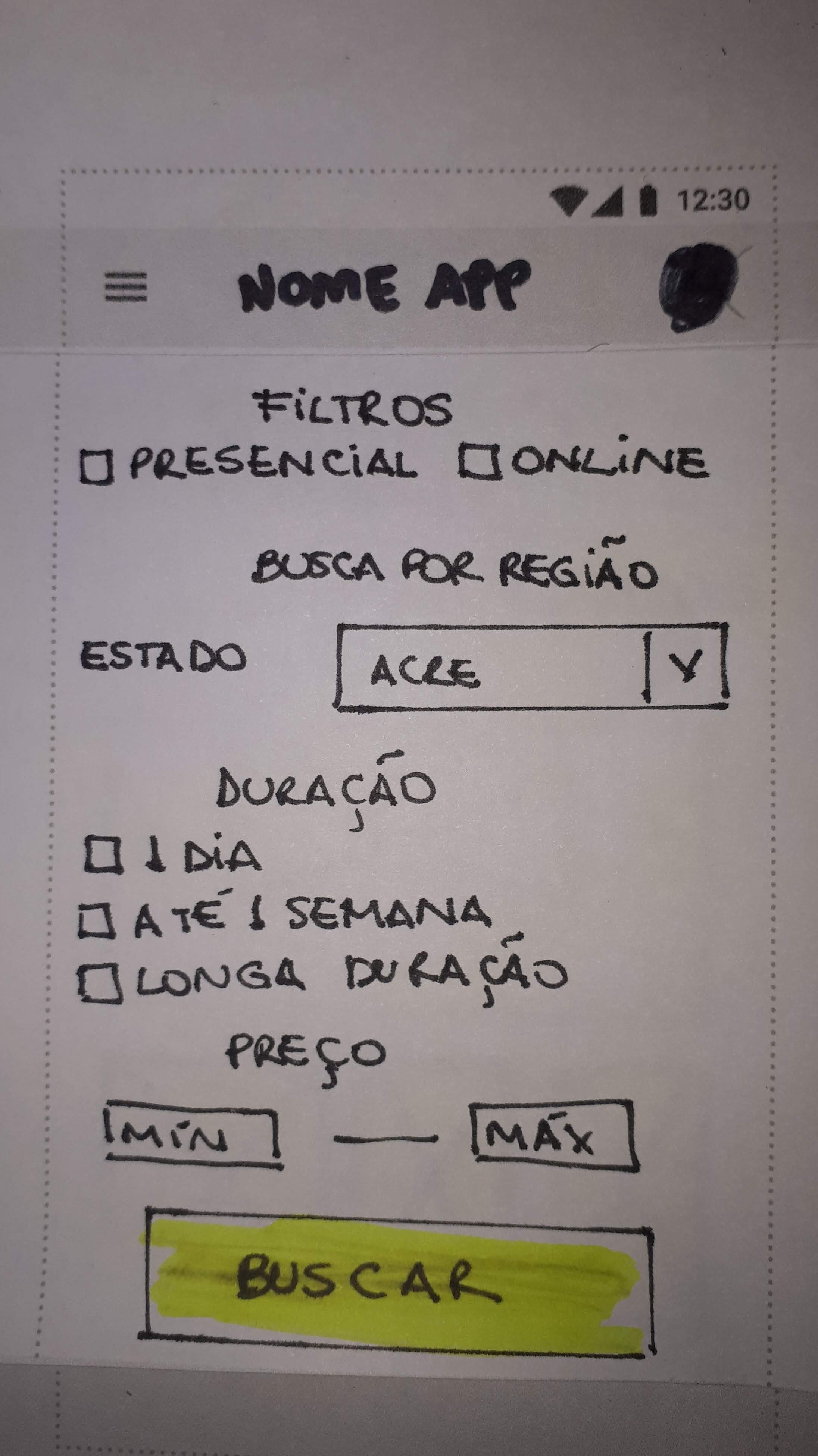
Filter courses by in-class and on-line courses, as well as choosing the course duration;
-
Filter course by cost;
-
Infographic about possible careers;
-
Feedback statements from previous students.

3. Develop
The team worked on a task flow for the app, listing all the actions (not the screens) it should perform. After that, we listed the elements that each action should have.
The actions were organized according to the list below.
-
Action: Login. Elements: Text fields.
-
Action: Search. Elements: Text field.
-
Action: Apply filters. Elements: Checklist boxes.
-
Action: Apply cost filters. Elements: Price-range inputs.
-
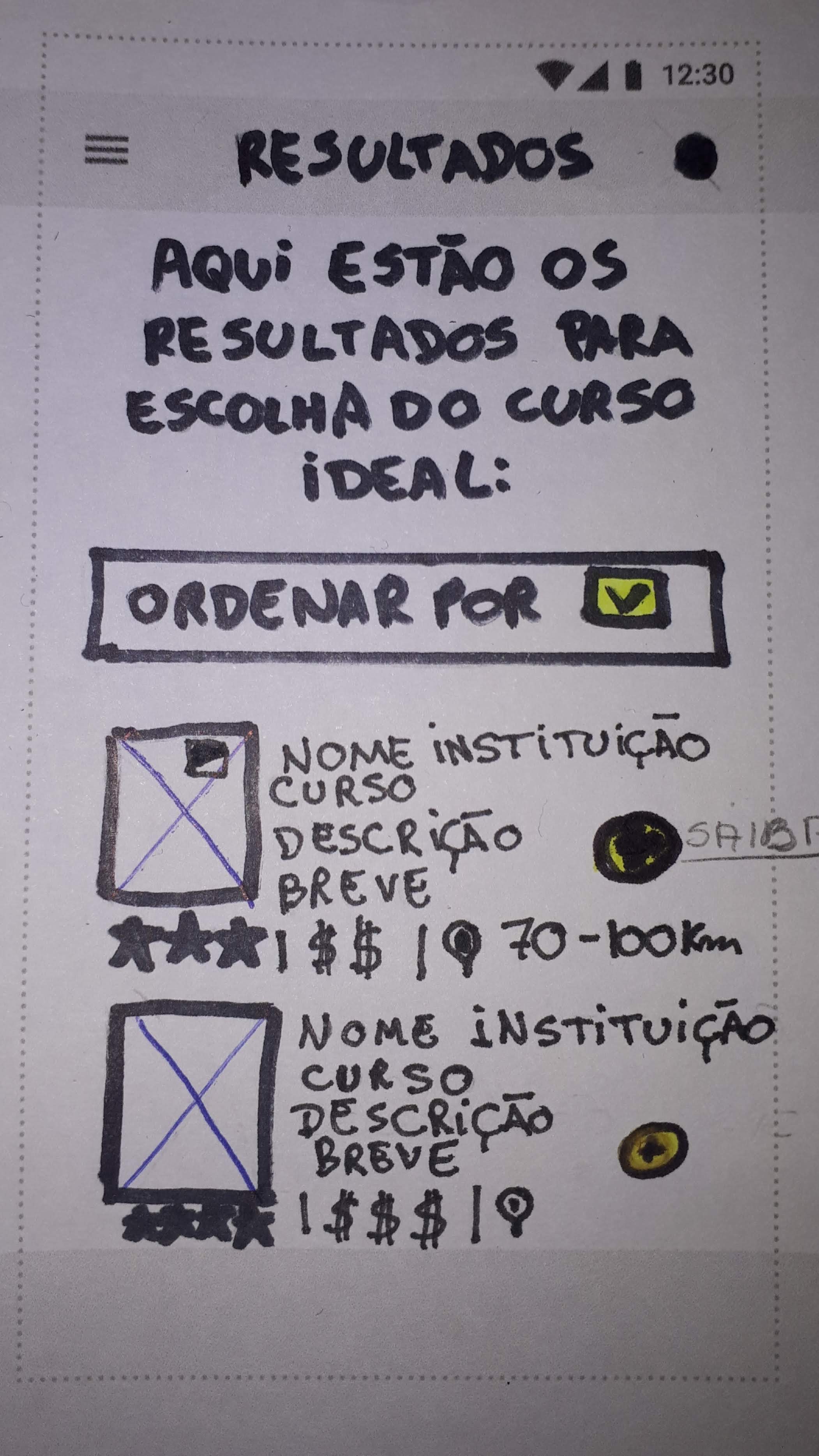
Action: View results. Elements: List with drop down box for details.
-
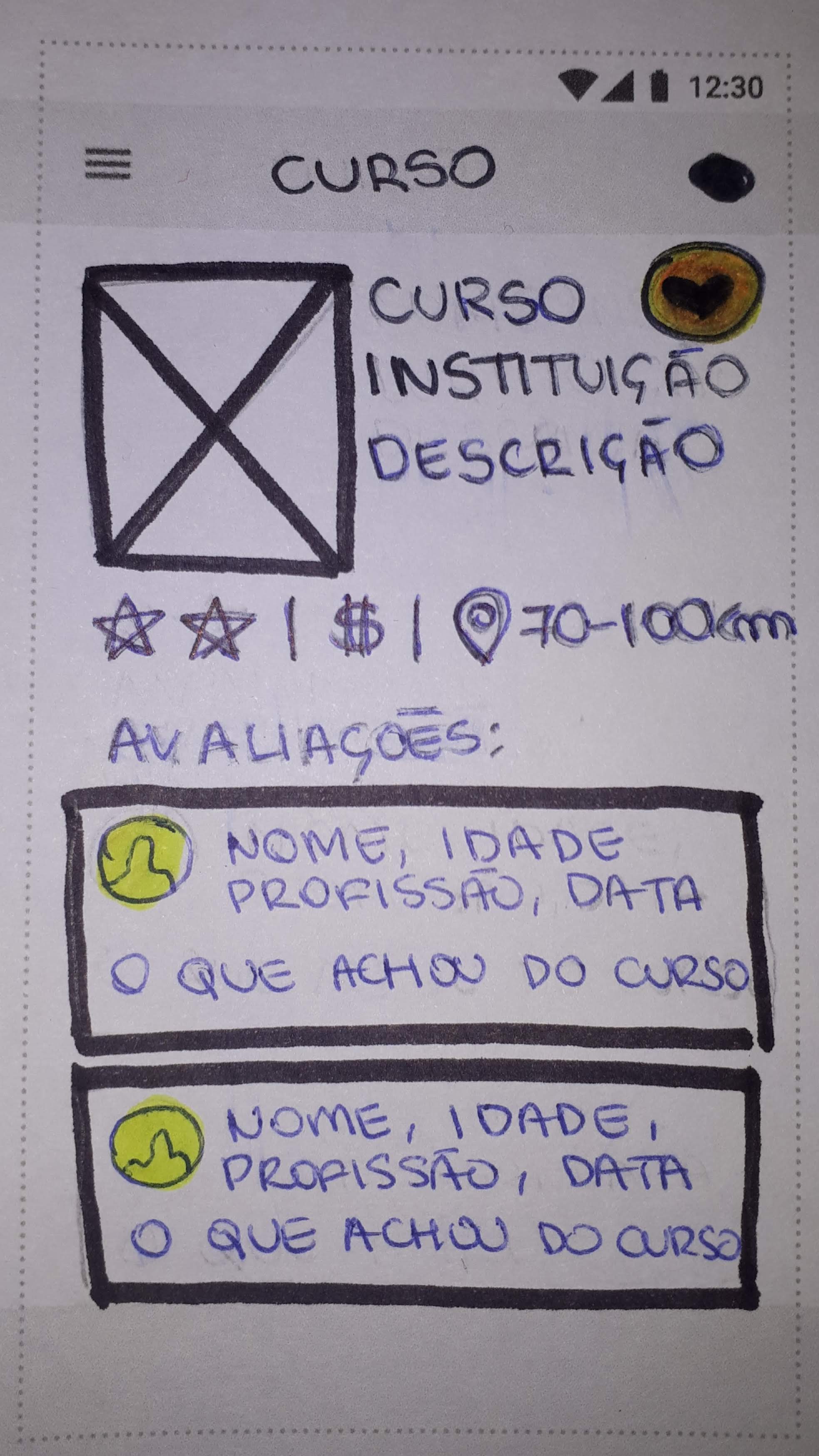
Action: Open course page. Elements: Informational page.
-
Action: Read feedback statements. Elements: Feedback statements list.
-
Action: Add to favorites. Elements: Button.

4. Low-fidelity Prototype: EducA+
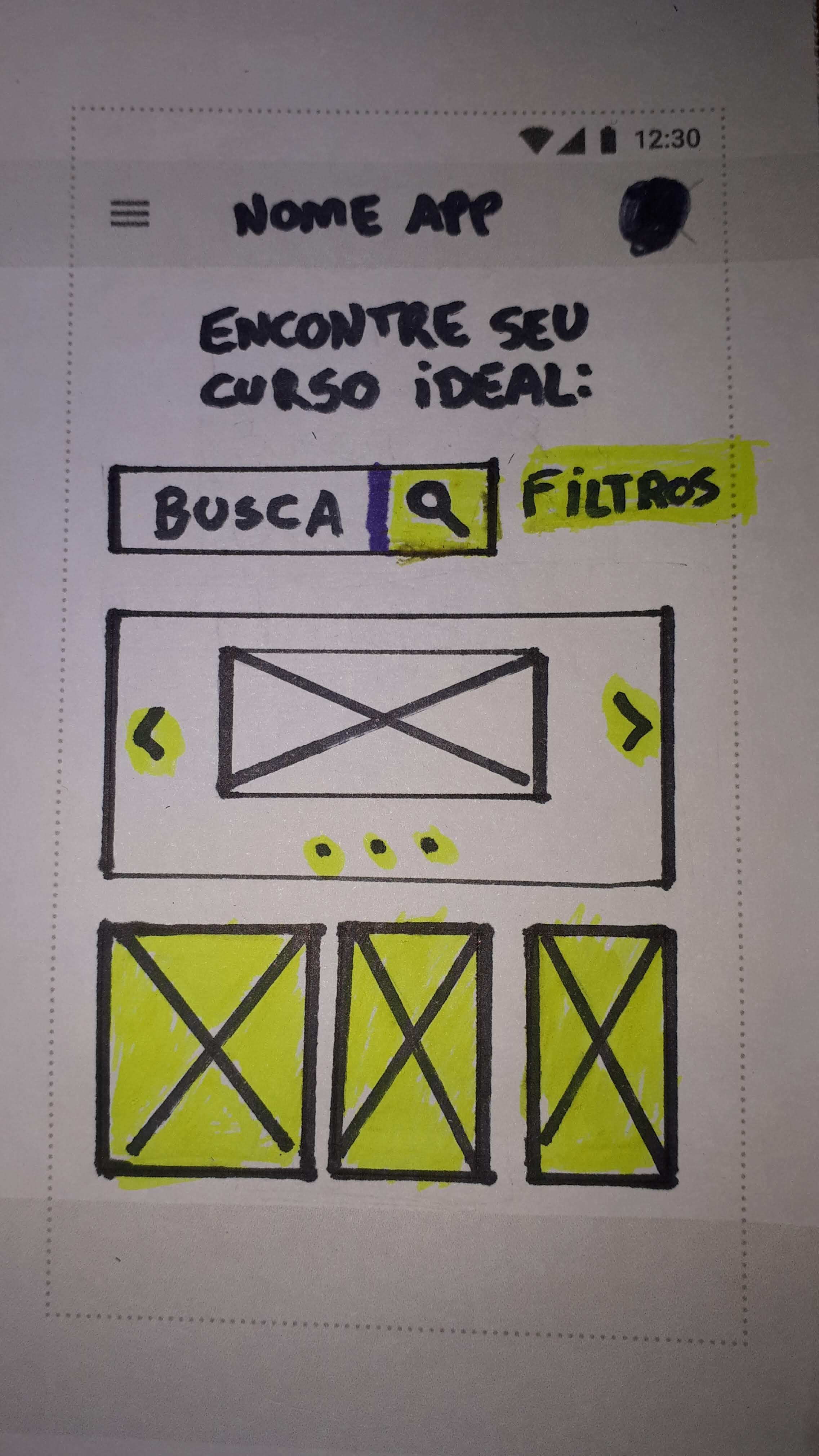
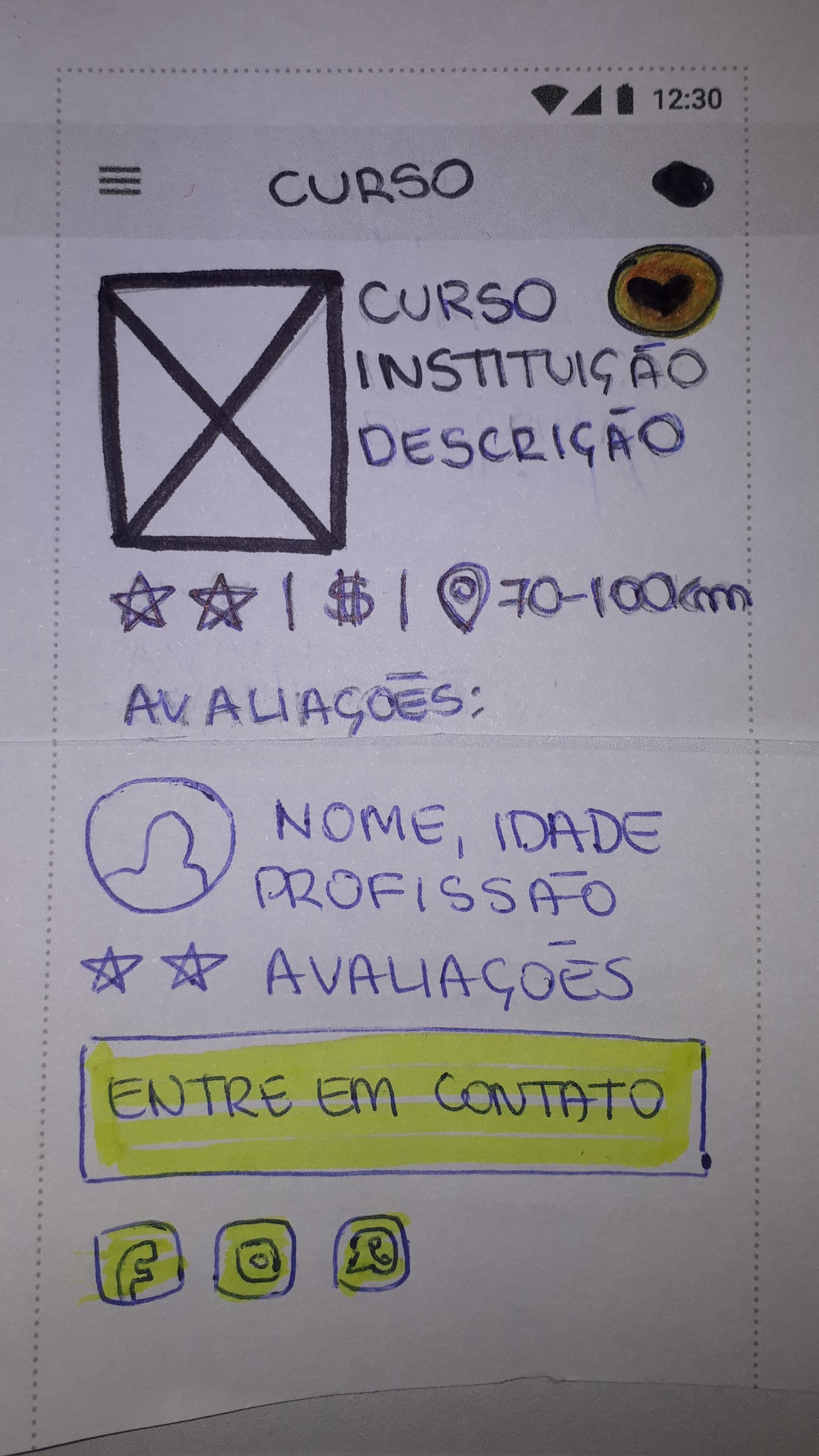
After gathering all the information to build the app (EducA+), we've designed a low-fidelity prototype to test it with real users in the classroom.


Home Screen
Search Filters
Results
Course Info
Contact
(former student)


5. The Test
The screen images were uploaded to Marvel App (https://marvelapp.com) in order to make it possible to use the sketch as a low-fidelity prototype. It was tested with other students, with the following specific fictional scenario:
"You're have a Psychology degree and work as a clerk in HR at an office downtown and you are willing to have your own office to work as a therapist. You're going to use the app to search for an on-line specialization course and make sure the school has a good reputation according to former students".
6. The Results
The first 3 users had some difficulties to understand the content of the app, because it had generic placeholder texts ("course name") instead of a fictional text ("Master's degree in Social Work") in the text boxes. So, we had to redesign the app to make it easier for the user to complete the activity.
After the updates, we tested it with another 4 users in classroom and they were able to complete the activity. The feedback was really positive and they said they had interest in using it, but it would be much attractive if it have some discount offers as a differential. We considered working on some partnerships with the educational institutions to make it happen.